Your body is like a high-speed computer. Sometimes, your computer sends you a "System Status Log." These are messages that tell you how your body is running.
Instead of saying "I am angry" or "I am sad," we look at what your body is experiencing. Your body always feels the message first. Here is a guide to help you understand those messages and what you can do to help.
Blue Zone: My Body Feels "Slow"
The Message: Your muscles feel heavy. Your eyes might feel sleepy. Your stomach might feel empty.
What it Means: Your system is running on low power. You might be experiencing feeling tired, hungry, sick, or lonely.
What to Do: Your computer needs a "recharge." You can:
Have a snack or a drink of water.
Take a nap or rest in a comfy chair.
Tell someone, "My system is slow."
Green Zone: My Body Feels "Ready"
The Message: Your breathing is steady. Your muscles feel relaxed. Your eyes are looking and learning.
What it Means: Your system is balanced. You are experiencing feeling calm and happy.
What to Do: This is the best time to:
Yellow Zone: My Body Feels "Extra Energy"
The Message: Your heart is beating a little faster. Your hands might be wiggly. You feel "tight" in your chest.
What it Means: Your system is getting too much information. You might be experiencing feeling silly, excited, or frustrated. Your brain is getting full.
What to Do: This is a warning to do a "System Check." You can:
Red Zone: My Body Feels "No Control"
The Message: Your heart is beating very fast. You might feel like shouting or hitting. Everything feels too loud or too bright.
What it Means: Your system has "overheated." You are experiencing feeling very angry, scared, or overwhelmed. Right now, you have No Control.
What to Do: Stop everything. You need to "Power Down" to stay safe. You can:
Go to your quiet, safe space.
Ask everyone to stop talking and signing for a minute.
Wait for your body to cool down until you feel your system move back toward Green.
Two Ways to Help Your Brain Right Now
1. The 70-Bit Rule Your brain processes information very fast (70 bits per second!). Because it moves so fast, it can get "flooded" easily. If you feel overwhelmed, it just means your "Operating System" has too much data. It is okay to step away and let the data clear out.
2. The 10-20 Second Loading Bar When your body is in the Blue, Yellow, or Red zone, it takes a long time for messages to travel. If someone signs to you or asks a question, give yourself a "Loading Bar." Wait 10 to 20 seconds before you try to answer. Your brain needs that time to process the message.
Remember: Regulation comes before thinking. Help your body feel safe first, and the rest will follow.
Your body is like a high-speed computer. Sometimes, your computer sends you a "System Status Log." These are messages that tell you how your body is running.
Instead of saying "I am angry" or "I am sad," we look at what your body is experiencing. Your body always feels the message first. Here is a guide to help you understand those messages and what you can do to help.
Blue Zone: My Body Feels "Slow"
The Message: Your muscles feel heavy. Your eyes might feel sleepy. Your stomach might feel empty.
What it Means: Your system is running on low power. You might be experiencing feeling tired, hungry, sick, or lonely.
What to Do: Your computer needs a "recharge." You can:
Have a snack or a drink of water.
Take a nap or rest in a comfy chair.
Tell someone, "My system is slow."
Green Zone: My Body Feels "Ready"
The Message: Your breathing is steady. Your muscles feel relaxed. Your eyes are looking and learning.
What it Means: Your system is balanced. You are experiencing feeling calm and happy.
What to Do: This is the best time to:
Yellow Zone: My Body Feels "Extra Energy"
The Message: Your heart is beating a little faster. Your hands might be wiggly. You feel "tight" in your chest.
What it Means: Your system is getting too much information. You might be experiencing feeling silly, excited, or frustrated. Your brain is getting full.
What to Do: This is a warning to do a "System Check." You can:
Red Zone: My Body Feels "No Control"
The Message: Your heart is beating very fast. You might feel like shouting or hitting. Everything feels too loud or too bright.
What it Means: Your system has "overheated." You are experiencing feeling very angry, scared, or overwhelmed. Right now, you have No Control.
What to Do: Stop everything. You need to "Power Down" to stay safe. You can:
Go to your quiet, safe space.
Ask everyone to stop talking and signing for a minute.
Wait for your body to cool down until you feel your system move back toward Green.
Two Ways to Help Your Brain Right Now
1. The 70-Bit Rule Your brain processes information very fast (70 bits per second!). Because it moves so fast, it can get "flooded" easily. If you feel overwhelmed, it just means your "Operating System" has too much data. It is okay to step away and let the data clear out.
2. The 10-20 Second Loading Bar When your body is in the Blue, Yellow, or Red zone, it takes a long time for messages to travel. If someone signs to you or asks a question, give yourself a "Loading Bar." Wait 10 to 20 seconds before you try to answer. Your brain needs that time to process the message.
Remember: Regulation comes before thinking. Help your body feel safe first, and the rest will follow.
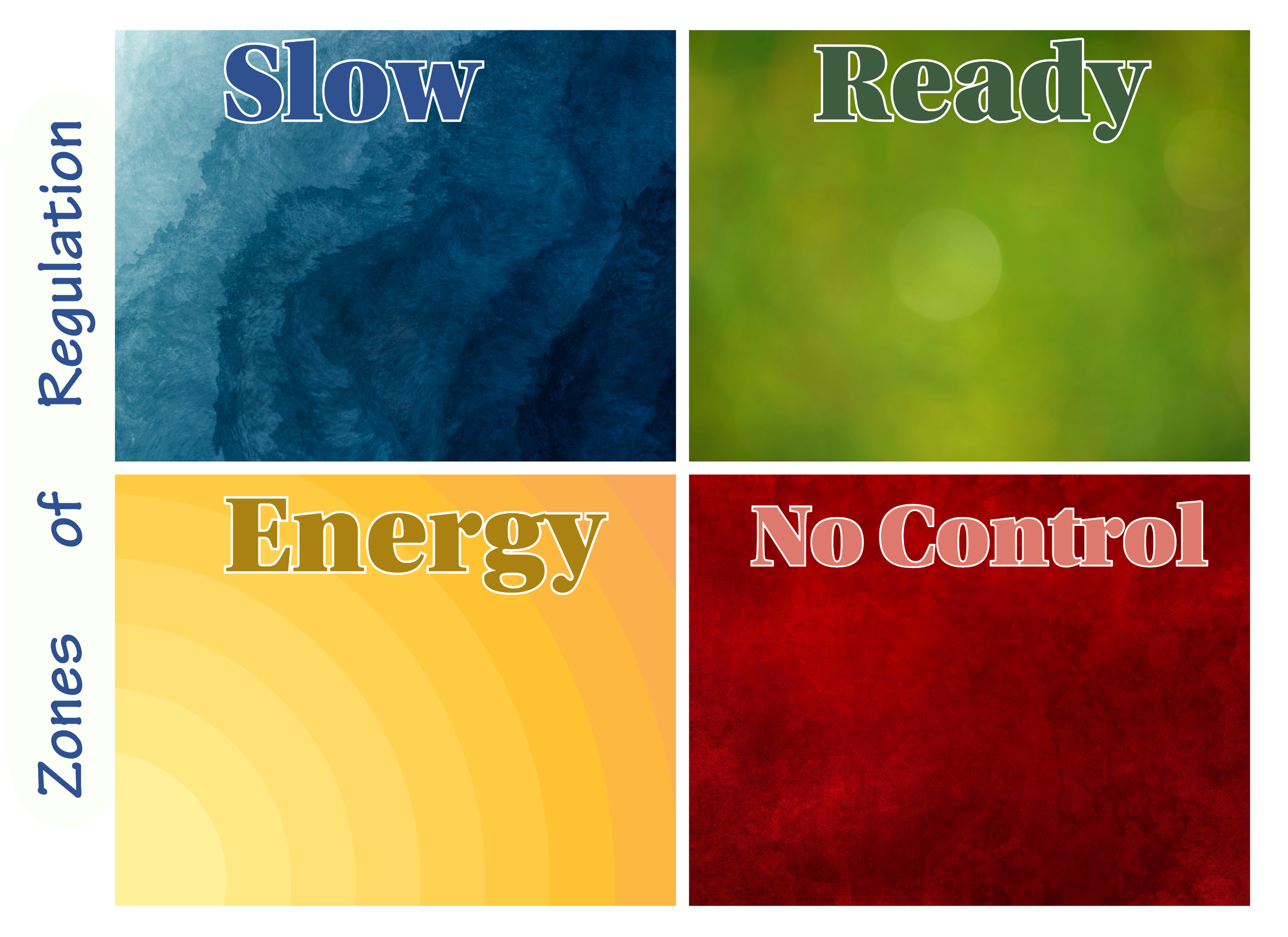 Image 1 of 14
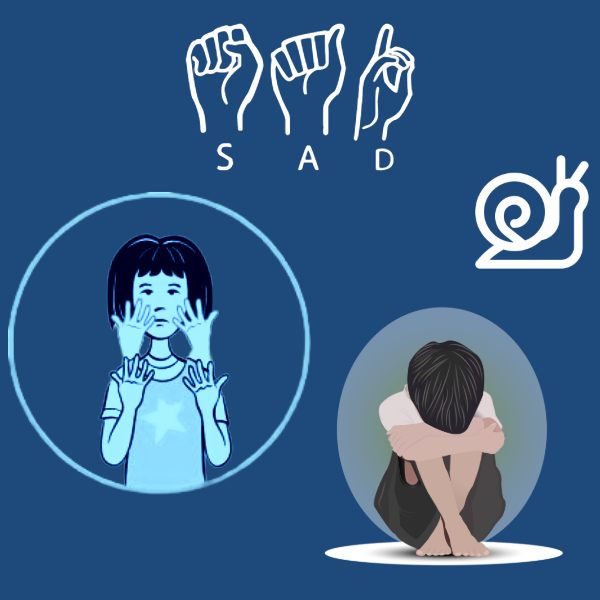 Image 2 of 14
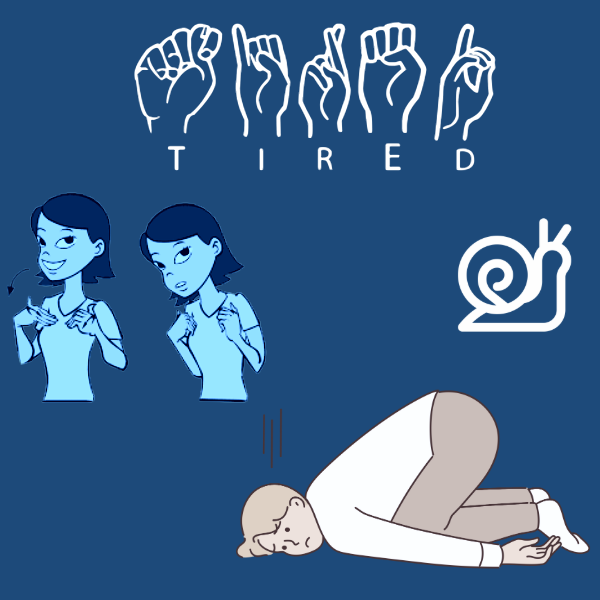 Image 3 of 14
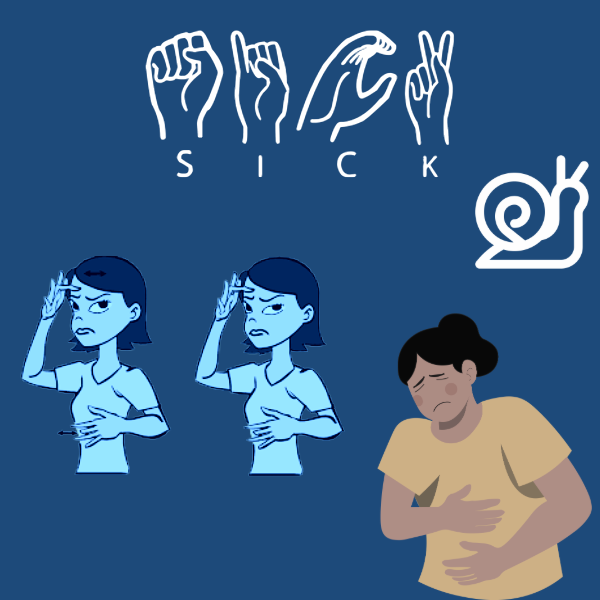 Image 4 of 14
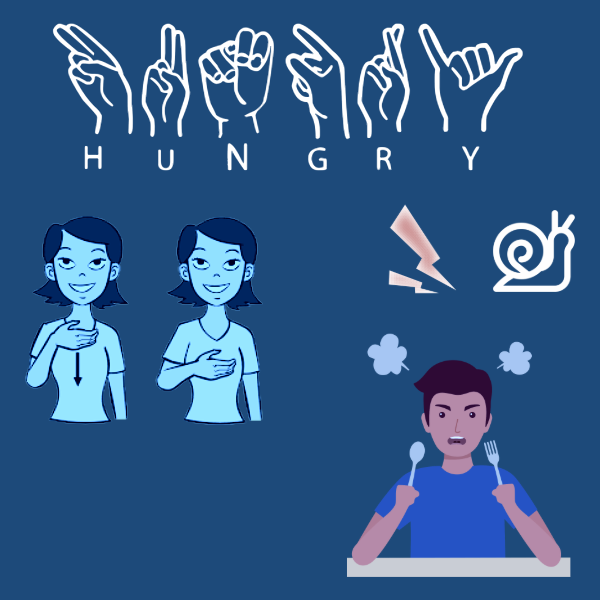 Image 5 of 14
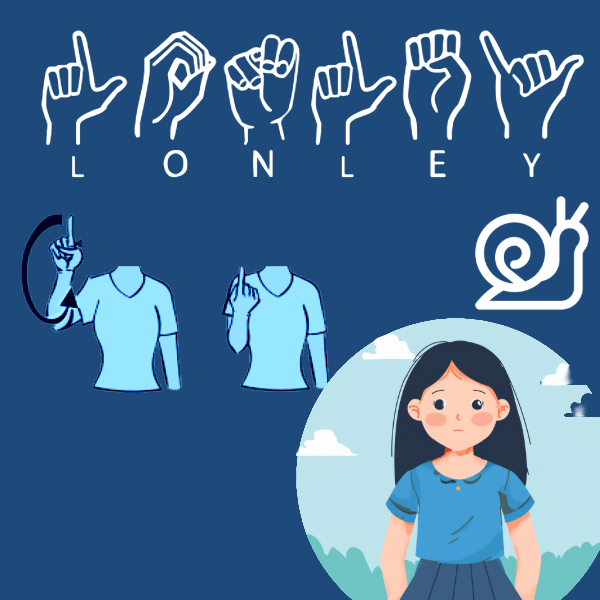 Image 6 of 14
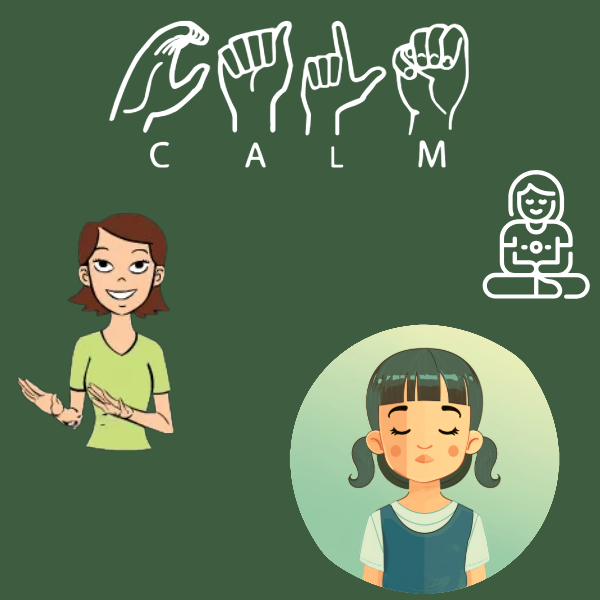 Image 7 of 14
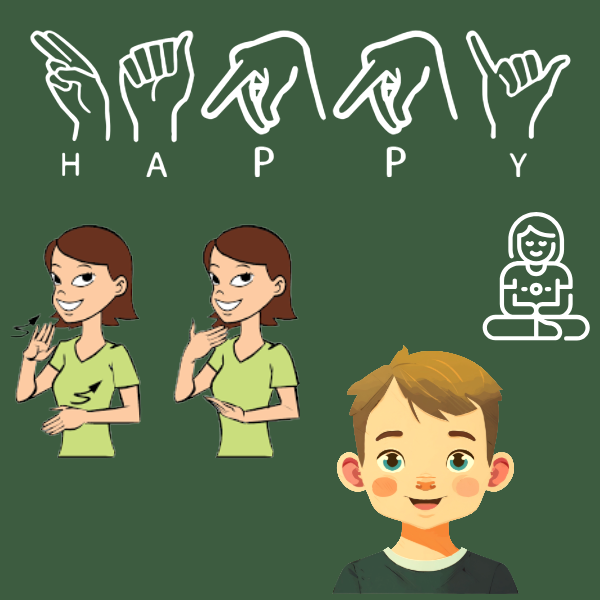 Image 8 of 14
 Image 9 of 14
 Image 10 of 14
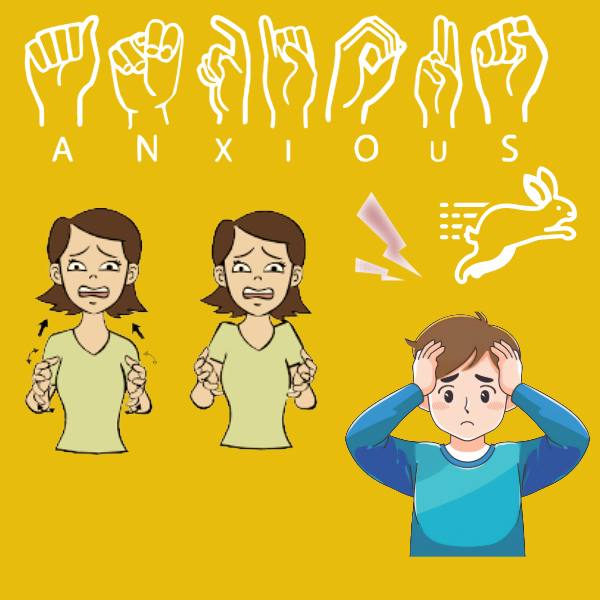 Image 11 of 14
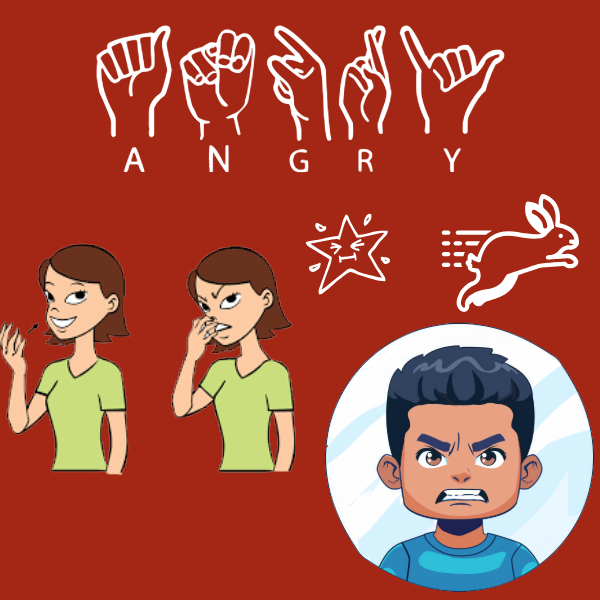 Image 12 of 14
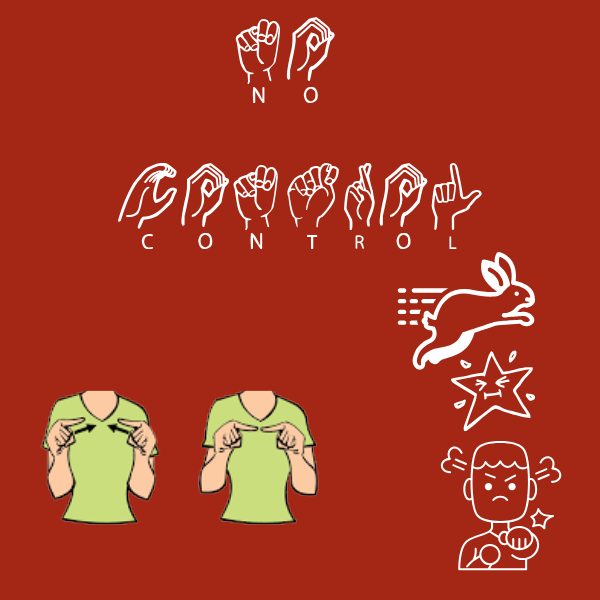 Image 13 of 14
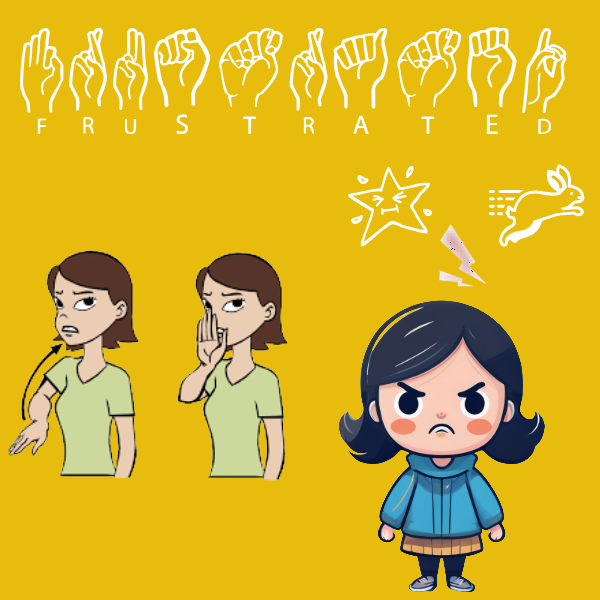 Image 14 of 14